A mesh, not a line
Your laptop is not wired to the server it talks to. Between them lies a network: devices called routers, joined by cables, radio links and optical fibre. A router’s whole job is to take what arrives on one cable and pass it out of another, a little closer to where it is going.
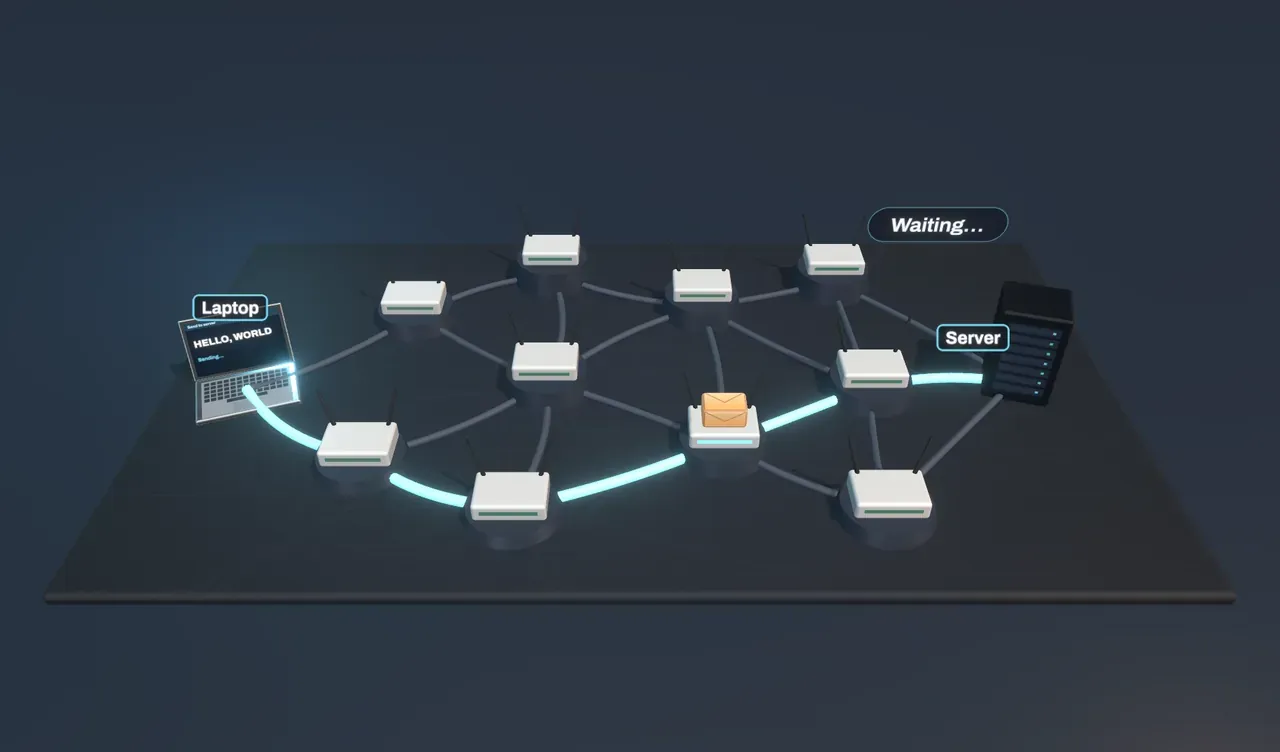
In the experiment a laptop on the left sends a message to a server on the right through ten routers. The cables lit in blue are the ones the message is using.
Finding the shortest route
Each router keeps a routing table: for every destination, which of its cables to send things down. Routers build these tables by telling one another which cables they have and how long each is, and passing on what they hear, until each has a map of the whole network. Out of all that gossip, each one works out the shortest route to everywhere, the way a map app finds the quickest drive. The method used here, Dijkstra’s algorithm, spreads out from the start, always extending the nearest unfinished route first, until it reaches the goal.
Watch the message hop. At each router it pauses: the router reads its destination address, looks it up, and sends it on. That is called store and forward.
Try it: raise Links cut to 1. A cable on the route snaps, and the next message goes around the break along a slightly longer route. Keep raising Links cut to see the detours grow.
Built to survive breaks
The early internet was designed so that no single failure could stop it. Because the routers form a mesh, with many loops, there is almost always another way round. When a link fails, the routers on either side notice, tell their neighbours, and within moments every table points around the gap.
But there are limits. In this mesh only four cables cross from the left half to the right. Cut all four and no route is left: the first router has nowhere to send the message, drops it, and sends back an error.
Packets
Under Split into packets, choose Packets. A long message is never sent in one piece. It is cut into packets, each a small chunk of data with a label saying where it is going, where it came from, and its place in the sequence.
Packets travel independently, so they can take different routes and arrive out of order. The receiving computer files each one by its number and puts the message back together, asking again for any packet that never turned up. The rules for this are TCP/IP: IP addresses and routes the packets; TCP numbers them, checks they all arrived and puts them in order.
Packets let millions of conversations share the same cables, taking turns at every router, and a lost packet costs only a small resend rather than the whole message.
What this model leaves out
The mesh here has twelve devices; the internet has billions, organised into separate networks that agree routes with each other using rules such as BGP. Real routers choose routes by cost and policy as well as distance, keep queues that fill up and overflow, and spread traffic over equal-cost paths. Packets of a single connection usually follow the same path unless something changes. A packet carries up to about 1,500 bytes, so a real message this short would fit in one; it is split into six here so the splitting can be seen. Signals in fibre travel at about two thirds of the speed of light, and everything is slowed down enormously to make the hops visible.