How a computer draws a 3D world: a ray through each pixel, shadow rays to the light, bounces that bring reflections and light from other surfaces, and how many rays it takes for the noise to go.
Step 1 of 6 · Two pictures
Step 1 of 6
Two pictures
Every computer game, every animated film and every Scene on this site has to answer the same question, once for each pixel: what colour goes here? In the Unit on bits and data you saw that a picture is a table of pixels, and that a colour is three numbers. Now the question is how to work those numbers out from a 3D world.
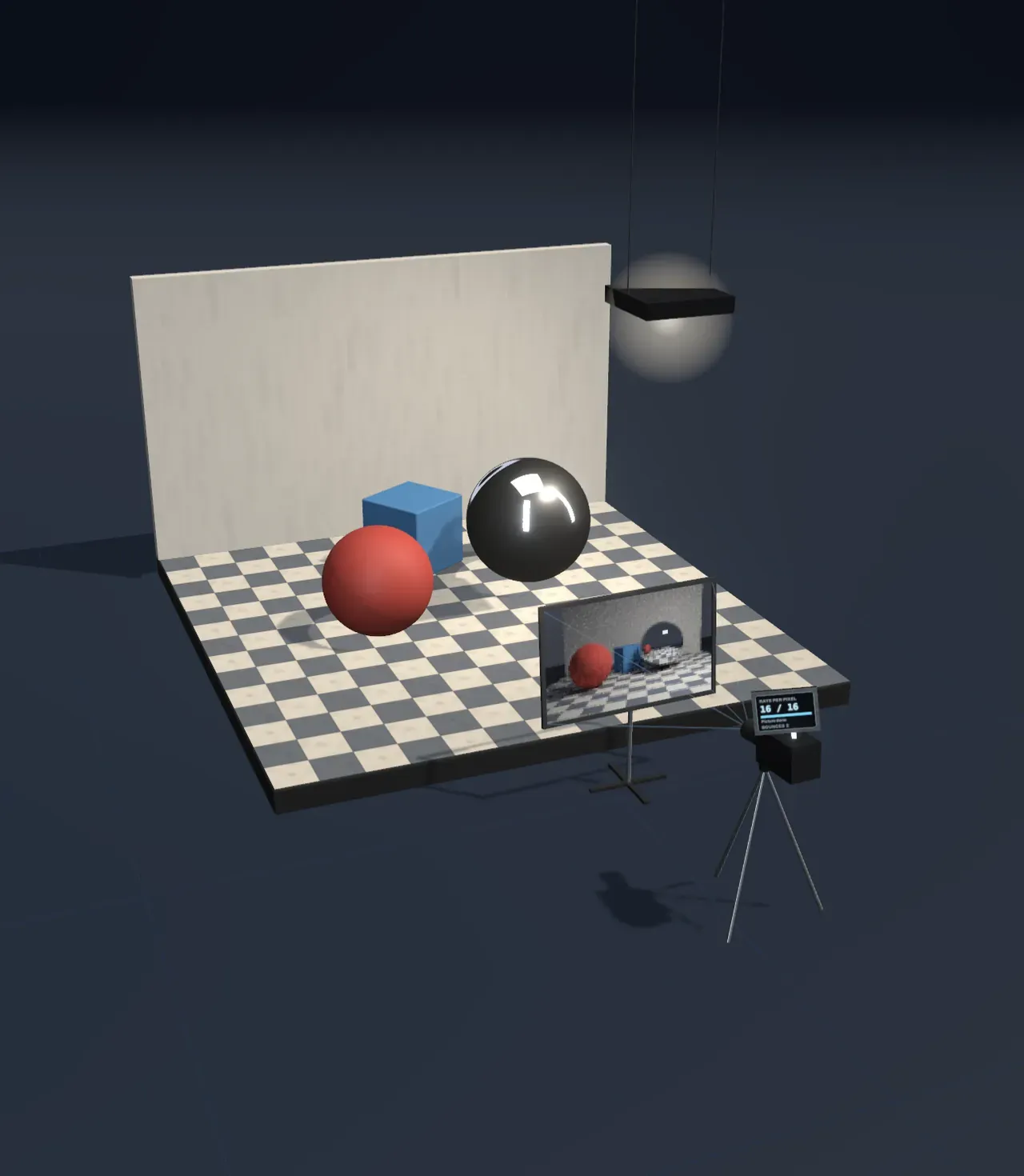
There are two ways. Rasterisation takes every triangle of every object, projects it onto the screen and colours the pixels it covers. It is very fast, and it is how the Scene draws the studio, the camera and the tripod. Ray tracing goes about it differently: from each pixel it sends a ray into the world and asks what it meets. That is how the picture on the frame in front of the camera was worked out, here in your browser.
Look at the mirror ball in both pictures.
Step 2 of 6
Camera rays
Trace the rays is at Camera rays. Rays leave the camera, each through a different pixel of the frame, as far as the first surface they meet. That surface’s colour, in the light that reaches it, is the pixel’s colour.
It is a simple loop, of the kind a processor runs: for each row, for each pixel in the row, send a ray, find the first hit, work out a colour and write it to memory. Only for one picture it runs hundreds of thousands of times.
Step 3 of 6
Shadow rays
To know whether a point is lit, the ray tracer sends a shadow ray from it to a point on the light. If something blocks it on the way, the point is in shadow. The light here is a square panel, and each shadow ray goes to a random point on it.
Try: move Trace the rays to Shadow rays. The gold rays reach the light, and the red ones are blocked. Then move it back to Picture.
The Light size is now 2 m. Look at the edges of the red ball’s shadow, and predict.
Step 4 of 6
Bounces
A ray that hits the mirror carries on in the reflected direction. A ray that hits a matte surface, such as the wall or the blue box, scatters in a random direction and takes its colour along. That is how light coming back off the wall also lights the shaded side of the ball, as in a real room. Bounces sets how many times a ray may change direction, and it is locked at 3 now.
Every bounce costs more rays, and whoever writes a ray tracer needs to know how much work waits in each pixel.
Step 5 of 6
Noise
Every ray that scatters picks a random direction, so two rays through the same pixel bring back different colours. The pixel is the average of its rays. With few rays the average jumps from pixel to pixel, and the picture is speckled: that is noise. Rays per pixel is locked at 16 now, and the chart beside the Scene shows how much noise is left.
Animated films work out thousands of rays for every pixel, for hours per frame. Games must draw a picture in a fraction of a second, so they send a few rays and clean up the noise with a filter.
Step 6 of 6
The whole picture
How much work does one picture take? Count the pixels, the rays per pixel, and the rays along each path.
Loading the interactive version…
Loading the interactive version…
Each step sets up the Scene for you, and a control marked “fixed” stays put for that step.
Practice · Choose
The Scene holds two pictures of the same set. The whole studio is drawn like every Scene on this site, by rasterisation. The picture on the frame in front of the camera was worked out by ray tracing. What does the mirror ball show in each?
Practice · Choose
The Scene holds two pictures of the same set. The whole studio is drawn like every Scene on this site, by rasterisation. The picture on the frame in front of the camera was worked out by ray tracing. What does the mirror ball show in each?
Practice · Choose
In real light, photons leave the light source, hit objects, and only a tiny share of them reach the camera. Where do the rays the computer follows start?
Practice · Choose
In real light, photons leave the light source, hit objects, and only a tiny share of them reach the camera. Where do the rays the computer follows start?
Practice · Predict, then look
The Light size is 2 m, a big softbox. What will happen to the edges of the shadows when you slide Light size down to 0.1 m?
Practice · Predict, then look
The Light size is 2 m, a big softbox. What will happen to the edges of the shadows when you slide Light size down to 0.1 m?
Practice · Calculate
Bounces is set to 3. At each hit on a matte surface one shadow ray is sent to the light, and if bounces are left, the ray carries on from that point in a new direction. At most, how many rays in all can one camera ray lead to, itself included?
Practice · Calculate
Bounces is set to 3. At each hit on a matte surface one shadow ray is sent to the light, and if bounces are left, the ray carries on from that point in a new direction. At most, how many rays in all can one camera ray lead to, itself included?
Practice · Predict, then look
At 16 rays per pixel, the chart beside the Scene shows how much noise is left compared with one ray. What will happen to the noise when you go to 64 rays per pixel, four times as many?
Practice · Predict, then look
At 16 rays per pixel, the chart beside the Scene shows how much noise is left compared with one ray. What will happen to the noise when you go to 64 rays per pixel, four times as many?
Practice · Calculate
The picture is 96 pixels wide and 60 high. Rays per pixel: , and Bounces: , so each camera ray brings up to rays. At most how many rays does the whole picture take?
Practice · Calculate
The picture is 96 pixels wide and 60 high. Rays per pixel: , and Bounces: , so each camera ray brings up to rays. At most how many rays does the whole picture take?
Lesson complete. Every practice question here is done.